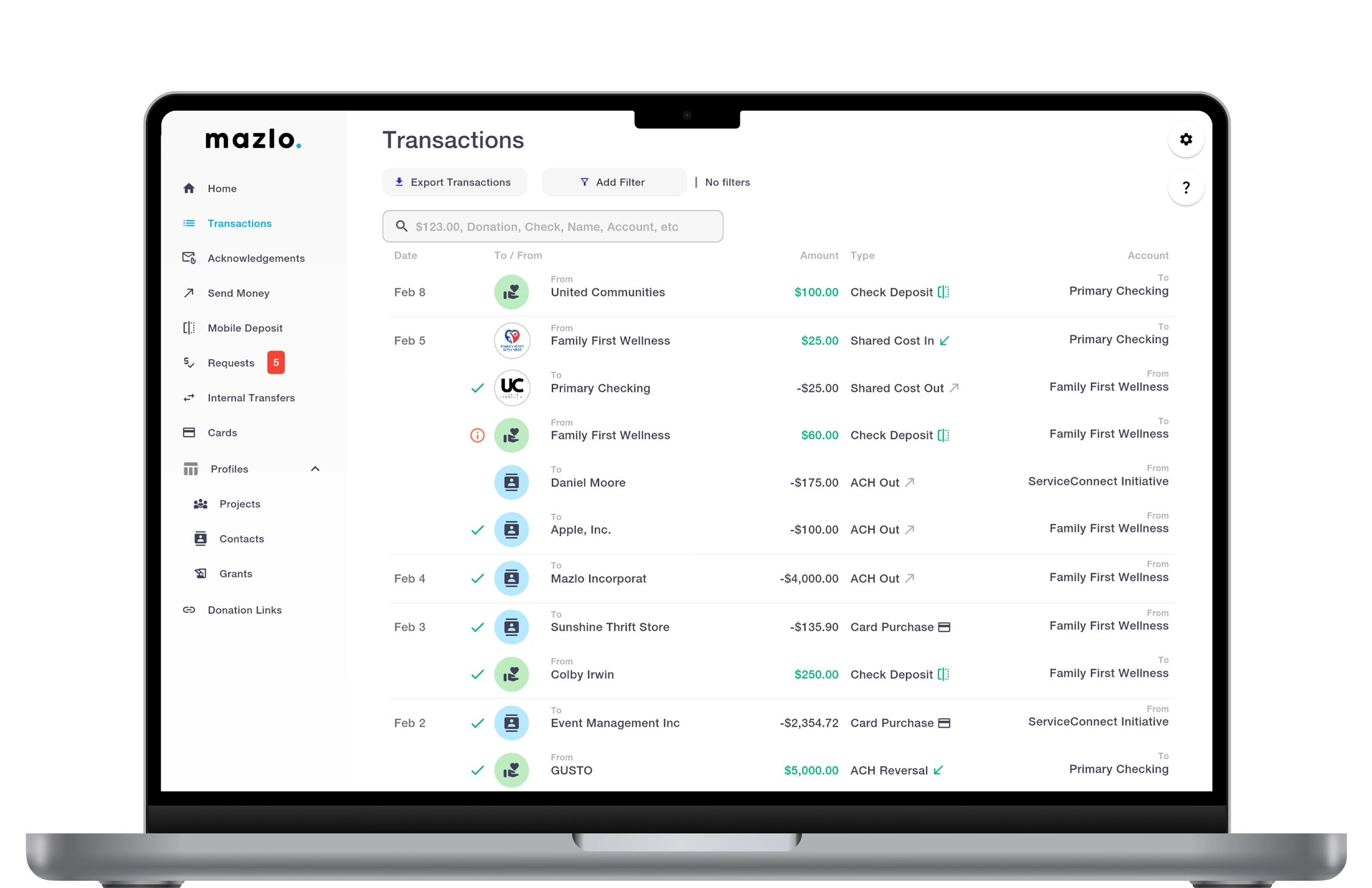
NONPROFIT FINANCIAL MANAGEMENT

Streamline Program and Operating Expenditures

Centralize vendor payments, restricted grants, donor gifts, and organization-wide financial management on a single, intuitive platform.

Unified account hierarchy for organization-wide clarity.
Custom permissions for programs and sub-accounts with central oversight
Audit ready fund distribution and payout allocations.

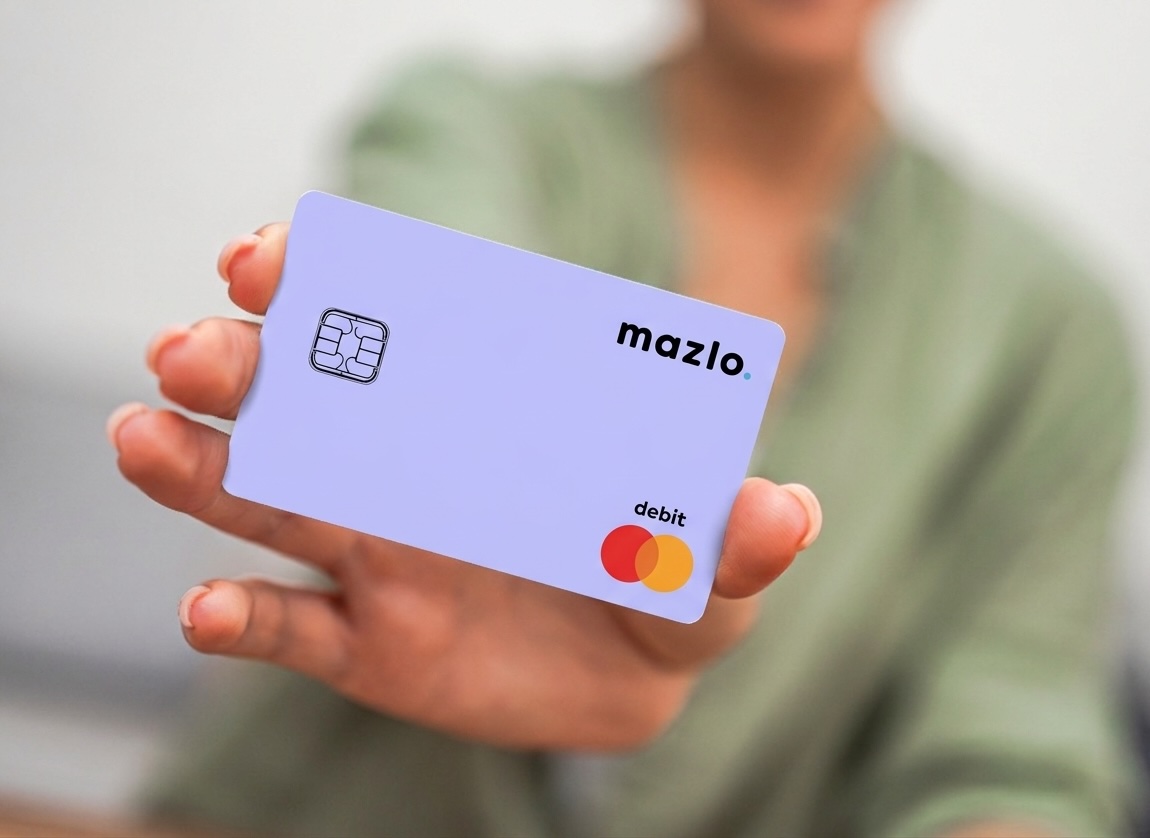
Smart Debit Cards

Control spending before it happens. Mazlo’s built-in guardrails prevent misuse and ensure funds stay on mission. These smart controls keep your nonprofit’s financials safe, and your team accountable.

Automatically freeze cards that violate spending policies.

Create customized spending policies per card.

Automatically freeze cards that exceed spending thresholds.
Community Outreach & Housing Initiative
Organization
Available Balance: $687,432.91
Youth Health & Wellness Program
Program
Available Balance: $214,068.55
Education & Scholarship Program
Program
Available Balance: $1,059,743.18

Program Accounts

Keeping teams accountable shouldn’t mean endless paperwork or manual oversight. Mazlo automates the post-spending process so you can maintain compliance effortlessly.

Organization, program, and sub-program structure for clear fund segregation

Role-based access for program teams with central finance visibility

Straightforward allocation and payout tracking across accounts

Manage Expenditures with Confidence

Control spending before it happens. Mazlo’s built-in guardrails prevent misuse and ensure funds stay on mission. These smart controls keep your nonprofit’s financials safe, and your team accountable.

Distribute bulk stipends and reimbursements to staff and volunteers

Disburse program grants with built-in transparency

Provide all-in-one financial management for local programs and initiatives

Ready to transform your finances?

Mazlo - Contact

FAQ

Plus IconMinus Icon

What do we need to get started, and is our money insured?

To get started, your organization submits an application with legal and nonprofit details (including EIN), completes identity and business verification through Mazlo's banking partner, and then configures projects, team members, and accounting codes. Bank accounts are FDIC-insured through Mazlo's banking partners. Once verified, you can fund accounts, invite your team, and begin operating—payment requests, grant tracking, donation campaigns, and reporting. Typical onboarding covers account setup, permission structure, and optional QuickBooks or Sage integration if you use one.
Plus IconMinus Icon

How do we automatically charge overhead across our programs?

Mazlo's shared cost feature applies a configurable administrative fee on eligible transactions. You set a default percentage at the org or project level, with optional overrides by accounting code or project type. When a qualifying transaction posts, Mazlo calculates the fee and creates settlement entries using your configured revenue and expense codes—so overhead allocation isn't a manual spreadsheet exercise every month.
Plus IconMinus Icon

Can we give regional chapter leaders access without letting them see other chapters' finances?

Yes. Mazlo uses role-based permissions scoped to specific projects or sub-projects. A chapter leader can view balances, submit payment requests, and manage their program's activity without seeing another region's accounts. Central leadership retains org-wide visibility and can monitor all programs from a single dashboard.
Plus IconMinus Icon

Does Mazlo sync with QuickBooks or our existing accounting system?

Mazlo integrates with QuickBooks and Sage Intacct for organizations that want banking and fund activity in Mazlo while closing the books in their accounting system. Grant, project, and transaction data can sync based on your configuration. Many nonprofits use Mazlo as the operational layer—banking, grants, donations, approvals—and their accounting system as the system of record for GAAP reporting.
Plus IconMinus Icon

Can we pay contractors and vendors by ACH and check?

Yes. Payment requests support multiple payment methods, including ACH and mailed checks. For checks, Mazlo can print and mail after approval (typically arriving in about 7–10 business days). Payees come from your Contacts directory, where you store vendor details and payment preferences once and reuse them across requests.
Plus IconMinus Icon

How do we track whether we're overspending a grant?

Grants in Mazlo show pledged, spent, and available balances—broken out by project allocation. When someone submits a payment request tied to a grant, spend counts against that award. You can also record external transactions when activity happens outside Mazlo but still needs to hit the grant. Reporting schedules, start/end dates, and attachments help program and finance teams stay aligned before an award runs out—or before a funder report is due.
Plus IconMinus Icon

Can program managers pay vendors without our CFO approving every single expense?

Yes—with guardrails. Program staff submit payment requests with line items, accounting codes, attachments, and a payee. Approvers review before payment is released via ACH, check, or another configured method. You set who can submit, who can approve, and what balance checks apply. Program teams move faster; finance keeps control through approval workflows rather than handling every transaction manually.
Plus IconMinus Icon

How do we accept online donations and send tax acknowledgment letters?

Mazlo's donation campaigns let you create branded giving pages with goals, descriptions, and payout routing to your organization or a specific program. Donors give through a public link; gifts are processed and booked to the correct fund. Donors are stored in your Contacts directory, and eligible gifts can receive tax acknowledgment letters. Mazlo also tracks unsent acknowledgements so advancement staff know what still needs to go out.
Plus IconMinus Icon

Do we need a separate bank account for every program?

Not necessarily—but you can if you want to. Your main nonprofit sits at the organization level, and each program can have its own checking account within Mazlo. Some nonprofits use one org account with project-level accounting; others give major programs dedicated accounts for clearer separation. You choose the structure that matches how your board and auditors expect funds to be tracked.
Plus IconMinus Icon

Can we keep donor-restricted funds separate from our general operating money?

Yes. Mazlo's organization → project → sub-project structure lets you segregate funds by program, campaign, or restriction. Each level has its own balance and transaction history, so a gift designated for one initiative doesn't mix with unrestricted operating funds. Central finance still sees everything in one place; program staff only see the accounts they're assigned to.